macOS 13 or later on Apple Silicon (Intel experimental), signed and notarized · Windows 10 or 11, x64, experimental and unsigned · Linux x86-64, AppImage.
Windows: SmartScreen says “Windows protected your PC”; click More info, then Run anyway. Needs a graphics card with a Vulkan or DirectX 12 driver. Windows install steps · Windows blocked the download?
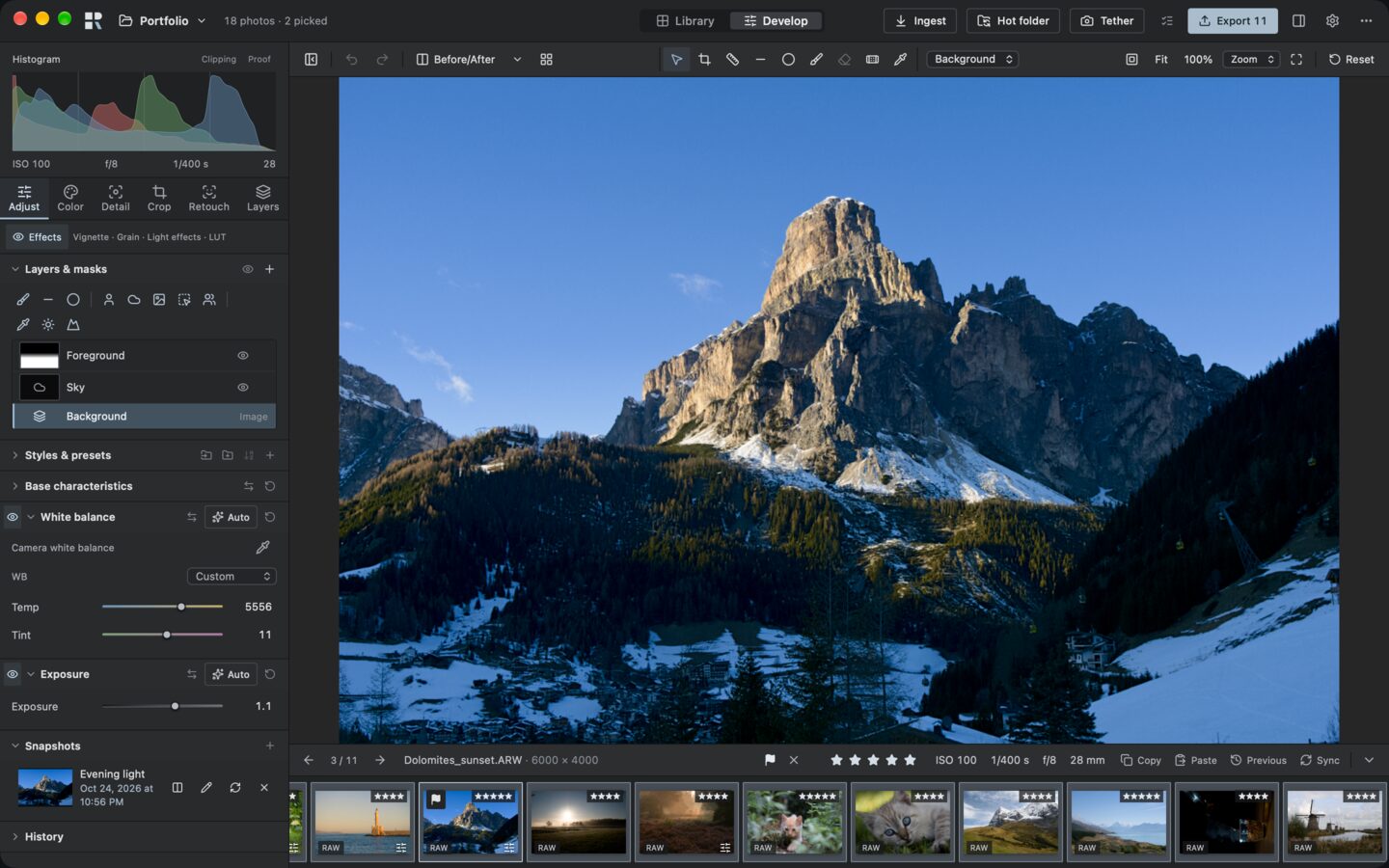
Develop: a Sony RAW with a sky layer and a graduated foreground layer. Every picture on this page is a capture of Rawtonic 0.1.0-alpha.7; photos by the pixls.us community, credits.
What Rawtonic stands for
Originals stay yours.
Rawtonic never writes into your RAW files: edits live in the library and in XMP sidecars. Ingest verifies every copy, and a file you move to another drive goes to the Trash only after its copy is verified.
Fast, on the graphics card.
The photograph is rendered on the GPU, so sliders, brushes and masks respond while you drag, even while an export runs.
No account, no tracking.
One update check a day, which you can turn off. Reports and usage statistics leave only when you choose. The AI tools run on your computer. Privacy
From card to client.
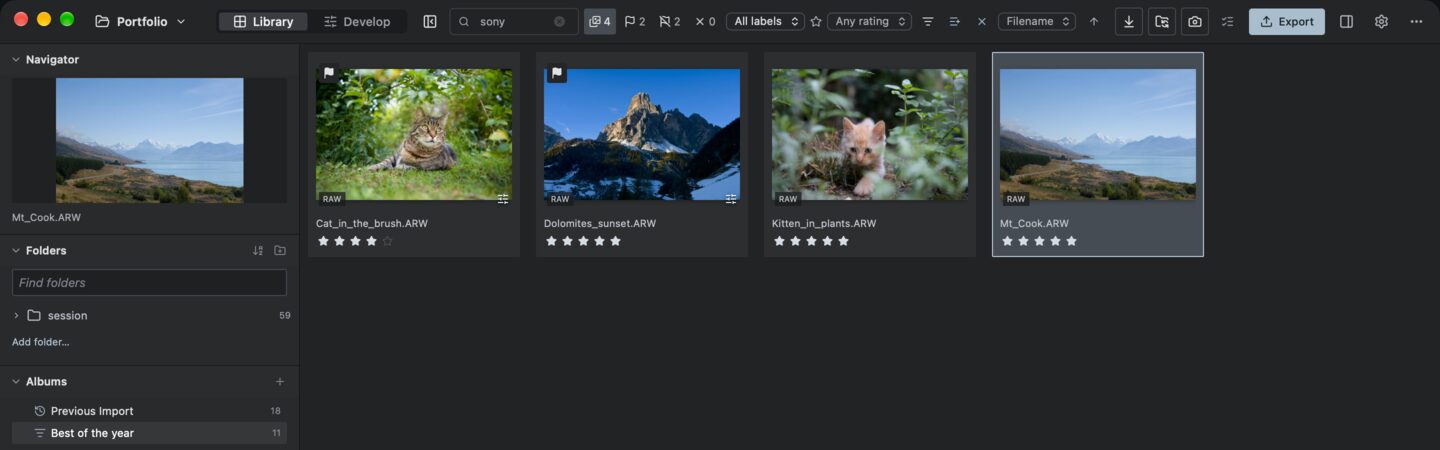
A smart album of four- and five-star photos, searched for “sony”.
Find the keepers.
Rate, pick and search the shoot. A smart album gathers your best photos by itself and stays up to date as you rate.
Search finds part of any word in file names, keywords, camera and lens; filter by focal length, aperture, ISO and date. Ingest verifies every copy, with an optional second backup; shooting tethered over USB is experimental.
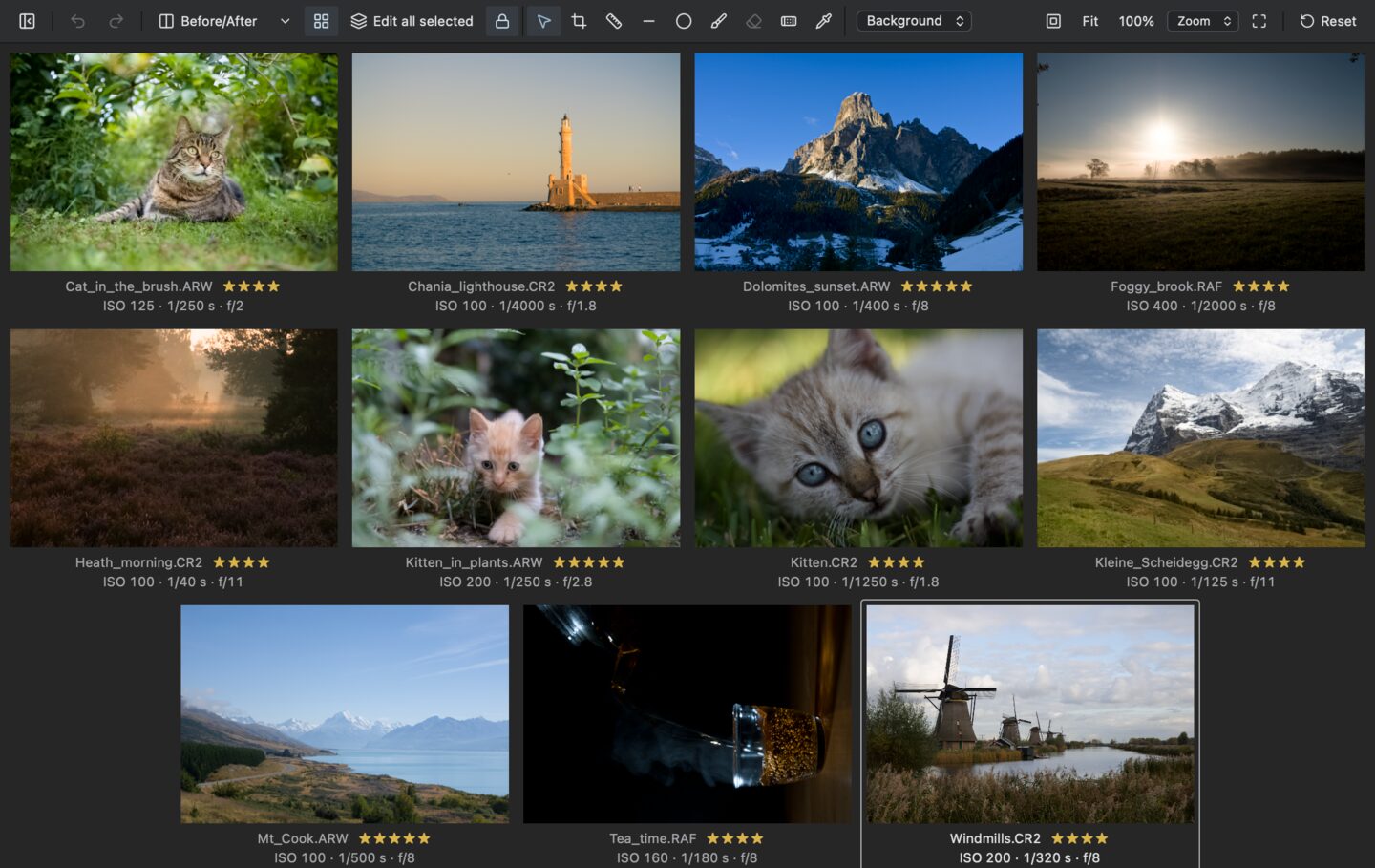
Multi view with the eleven photos of that album.
Compare side by side.
Put the candidates next to each other in Develop. With Edit all selected, one change goes to all of them.
Lock the zoom to check focus on every frame at 100 %. Copy and paste settings, or sync them across a selection.
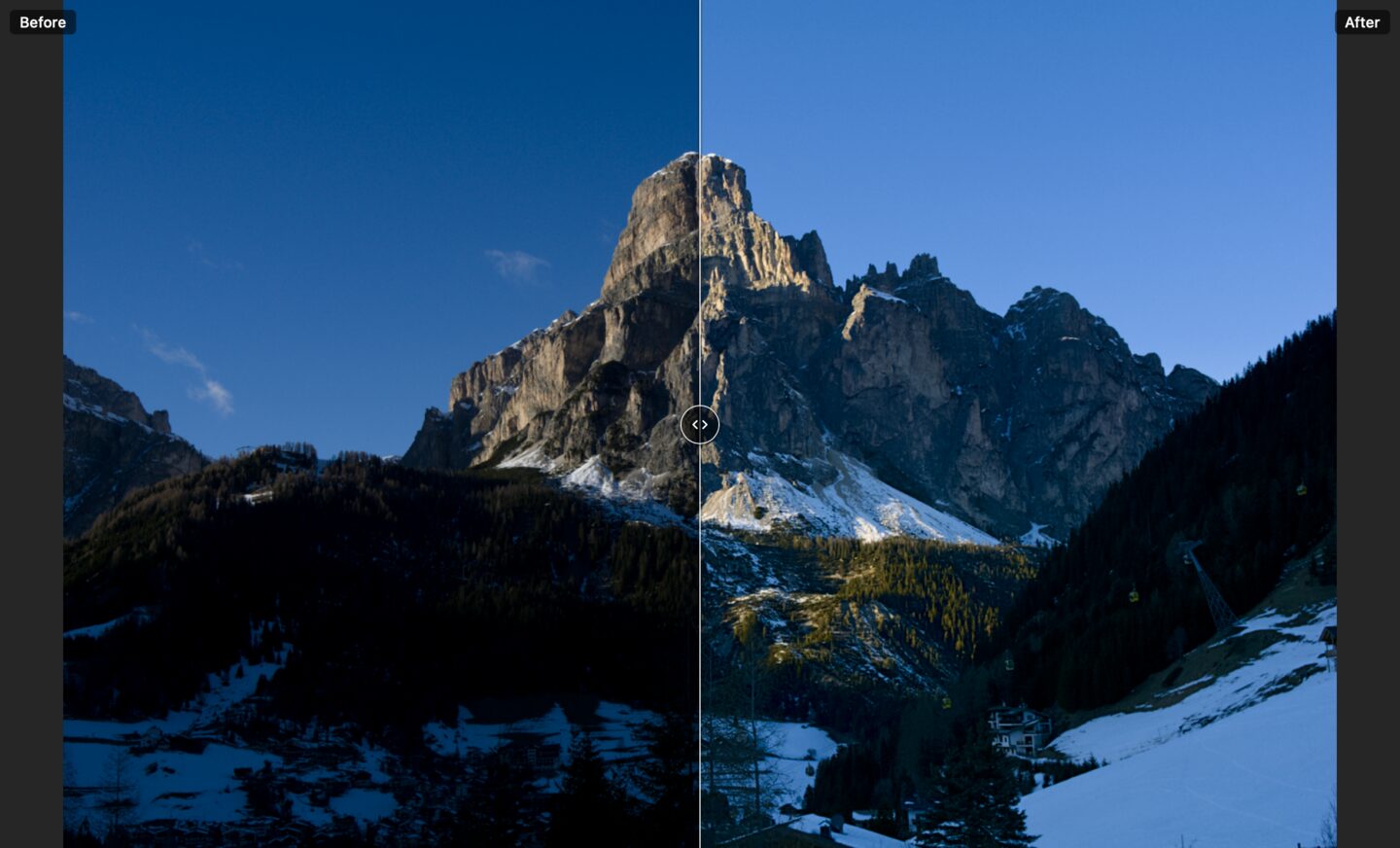
Before/After on the Dolomites frame from the top of the page.
See what you changed.
Split the view and drag across the photo to compare your edit with the original, or with a named snapshot of an earlier version.
Snapshots keep versions of an edit under a name; History keeps every step.
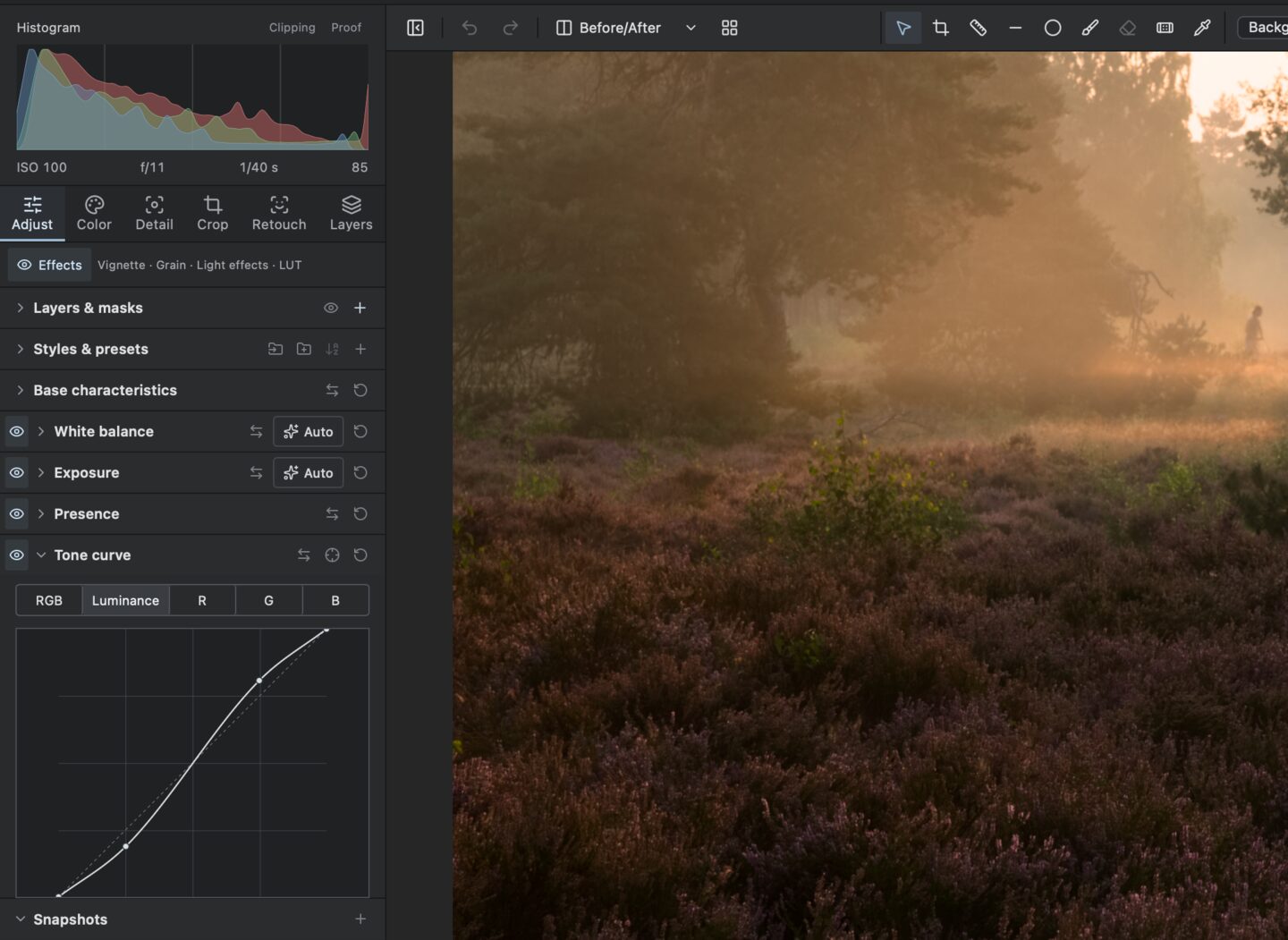
An S-curve on the Luminance channel.
Contrast that keeps its colour.
The Luminance curve changes brightness only, so adding contrast does not push the colours of warm morning light.
Exposure, highlights, shadows, whites and blacks, levels, point and region curves with a targeted adjustment, clarity, structure and dehaze.
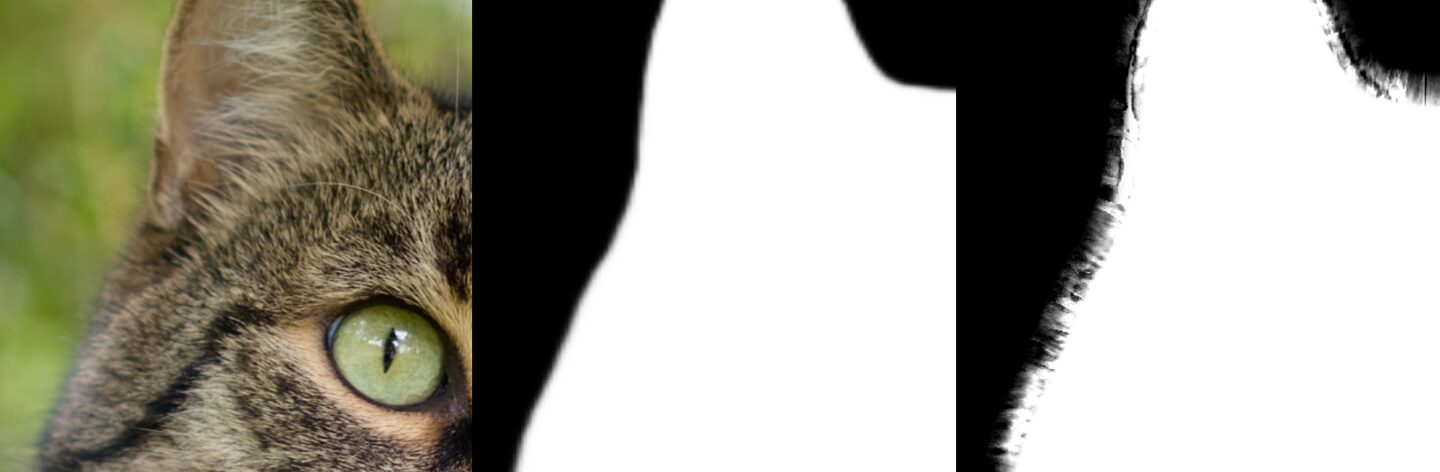
Left to right: the photo at 100 %, the subject mask, the same mask with Refine edge at 25 px.
Masks that follow fur.
Select the subject, sky, background or people with one click. Refine edge carries the mask out into fur, hair and foliage.
Brush, linear and radial masks, colour and luminance ranges, each layer with its own opacity. The AI masks run on your computer; each model downloads once.
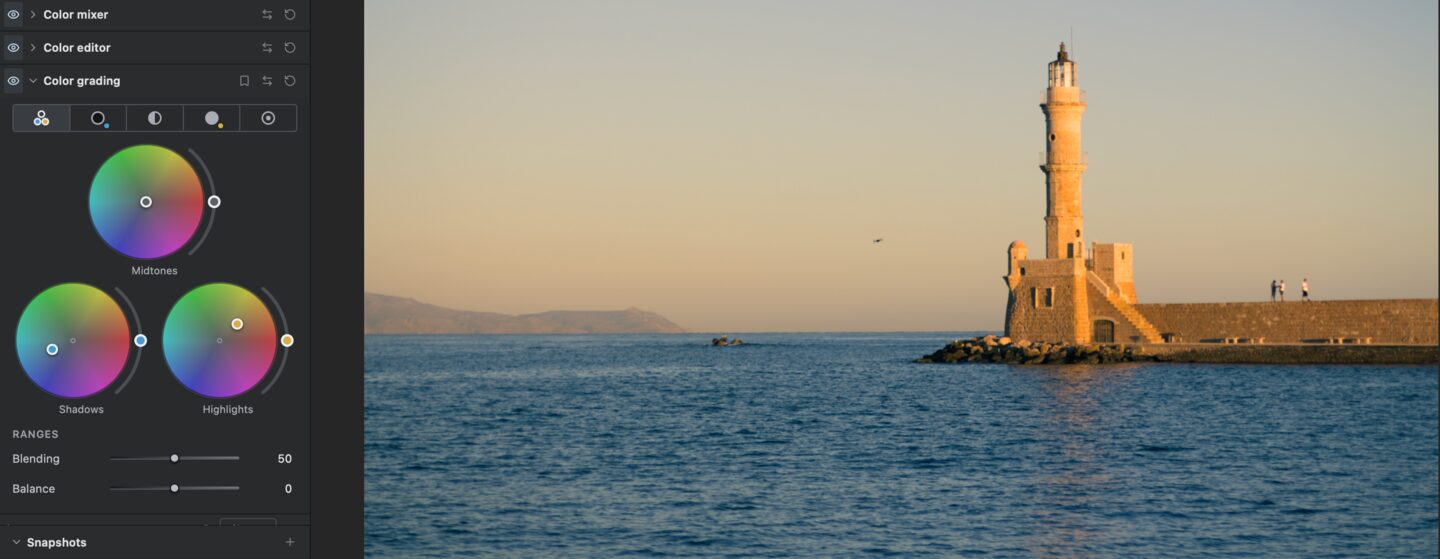
Warm highlights, cool shadows: two moves on the colour wheels.
Find the feeling.
Colour wheels for shadows, midtones and highlights set the mood of a photo in a couple of moves.
RAW white balance, a colour mixer and colour editor, vibrance, a black-and-white mix, camera profiles, CUBE LUTs and soft proofing for print and web colour spaces.
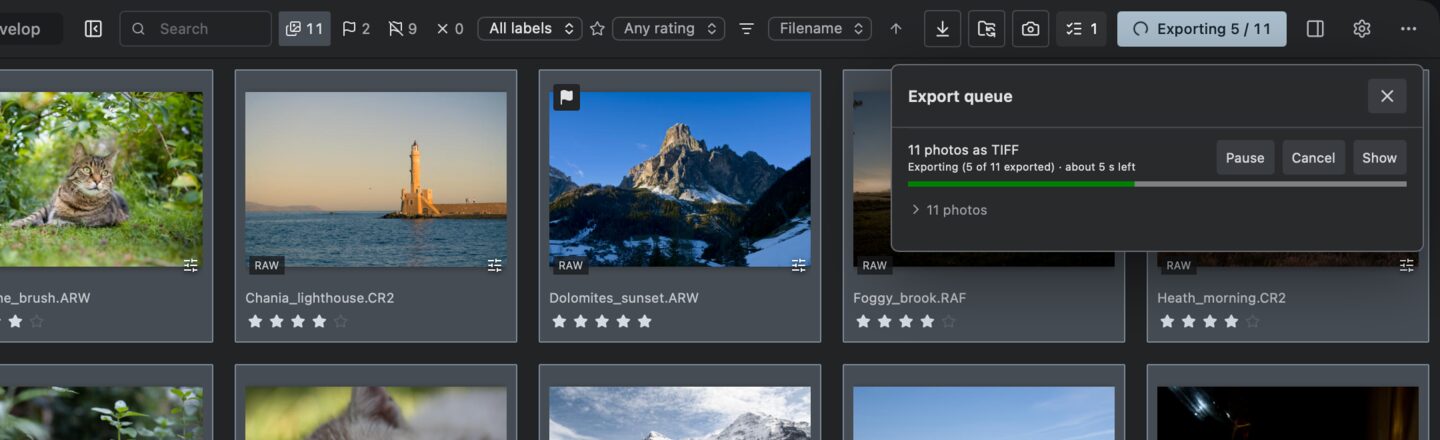
Eleven 16-bit TIFFs in ProPhoto RGB on their way.
Deliver while you keep working.
Exports run in a queue in the background, with several recipes at once, while you go on editing.
JPEG, TIFF, PNG, WebP, JPEG XL and AVIF in sRGB, Display P3, Adobe RGB or ProPhoto RGB. Output sharpening, watermarks and borders; the queue survives a restart.
Also in Develop: heal and clone with spots or brush strokes, remove objects, red eye and pet eye correction, automatic face retouch, sharpening, noise reduction, lens and chromatic aberration corrections, crop and perspective.
Coming from Lightroom or Capture One?
Bring your library along. Rawtonic is an early alpha: it is already ahead in some places and still behind in others, such as batch exports and AI Denoise. What works today and what is not there yet
A Lightroom Classic catalog (.lrcat) or a Capture One session: ratings, colour labels, keywords, edits and albums. The other library is only read.
Lightroom presets and Capture One styles, with a list of what could not be translated.
Ratings, labels and keywords from XMP sidecars, read when photos are added. Lightroom’s own settings in a sidecar are kept untouched.
Not yet: virtual copies, smart albums and Capture One’s local layers.
New in alpha.11.
Released 1 November 2026. Signed and notarized for macOS; Windows is still experimental and unsigned. alpha.11.1 makes Relight's set-ups relight a portrait without brightening or tinting it, and the sliders finer to drag. Saved edits export as in alpha.11, except Relight edits analysed before alpha.11 (see the release notes). Earlier releases
Stacks.
Group photos into stacks by hand or with Auto-Stack, split a stack and move photos up or down inside it.
Catalogs that travel.
Add Folder… brings photos into a catalog where they are. Export as Catalog takes a job to another computer, Import from Catalog brings it back.
From Lightroom Classic.
Lightroom Classic 15 catalogs come over with their edits, crop and straighten, virtual copies, snapshots and stacks. Lightroom and Capture One sidecars are read and written the way those programs show them.
Develop.
Before/after side by side, Find Dust, a profile browser with tiles of the open photo, measured scopes, and Relight with a direction ball.
Also: session folders anywhere (also set from the folder tree), a picker loupe, Highlights that keep bright skies bright, faster stepping when culling, and after a forced quit or crash Rawtonic cleans up and offers to finish an interrupted batch edit. Full release notes · Release history
Install it.
Download the DMG for Apple Silicon, 39 MB. It needs macOS 13 or later. For Intel Macs there is an experimental DMG (45 MB), so far tested only under Rosetta on Apple Silicon.
Drag Rawtonic to Applications and open it with a double-click. Rawtonic is signed with an Apple Developer ID and notarized by Apple, so macOS only asks once whether you want to open an app downloaded from the internet.
Keep your backups. It is early software and bugs are expected. Updating from an earlier alpha? Saved edits are meant to look as before; the improved defaults apply to new edits and to photos you have not edited yet.
Download the AppImage for x86-64, 132 MB. It runs on Ubuntu 22.04 or later, Debian 12, Fedora and others with glibc 2.35 or later.
Make it executable and start it with the commands shown here. If it does not start, install FUSE 2 (libfuse2t64 on Ubuntu 24.04, libfuse2 on older Ubuntu and Debian) or start it with --appimage-extract-and-run.
Give the first start a minute. Before the first photo appears in Develop, the graphics driver prepares Rawtonic’s shaders. That happens once; later starts are quick.
Experimental and unsigned.Download the installer for Windows 10 or 11 (x64), 30 MB. It needs a graphics card with a Vulkan or DirectX 12 driver; PCs with only Microsoft’s software renderer are not supported. So far it has been tested with one NVIDIA graphics card.
Check the download. In PowerShell, Get-FileHash on the installer must print the SHA-256 shown here. This catches a damaged download; as the installer is not signed, it does not prove who made it. If your browser or Windows Security removes the download, see Windows blocked the download?
Start it. Windows SmartScreen says “Windows protected your PC”: click More info, then Run anyway. It installs for your user only, without administrator rights, and takes about a minute while it prepares the graphics pipelines. The release page also has the other Windows downloads.
Something wrong? Use Report a problem in the app, or see other ways to help.
Help without a GitHub account.
Most of what makes Rawtonic better comes from photographers who say what went wrong. You need no account for any of it. A report or camera test leaves your computer only after you have seen it and clicked Send; usage statistics, if you switch them on, go once a week without asking each time.
Report a problem.
Help menu on macOS, or the “…” menu in Library and Develop. Write what happened; add, if you like, system details, the end of the log, the camera model and file type, and a screenshot. You can edit or remove each part before sending.
Crash report on the next start.
If Rawtonic stops because of an error in its own code, it asks once at the next start whether to send what it noted: the error, where in the code it happened and the end of the log. “Never” deletes the notes and stops them.
Test your camera.
The tether panel’s Camera test checks a camera step by step; Send result adds it to the list of tested cameras. No serial number, file names or photos are in it.
Anonymous usage statistics.
Off unless you switch them on in Preferences: once a week, which cameras and tools were used, as plain yes/no counters without any id. “Show what is sent” shows the exact data at any time.
Share a RAW sample.
When a camera or RAW mode does not open, Rawtonic shows how to give a sample file to raw.pixls.us, the public collection open-source decoders learn new cameras from. You upload it there yourself; Rawtonic sends nothing.
After sending.
Reports reach the developers through Rawtonic’s own relay and are deleted after 90 days. With the report id you see after sending, you can delete one at any time. Prefer GitHub? Each dialog can also copy the report or open it as a GitHub issue. Details
Your camera.
Rawtonic is built for professional and popular cameras and phones of the last ten years: Canon, Nikon, Sony, Fujifilm, Panasonic, OM System and Olympus, Leica, DJI, iPhone ProRAW and other DNGs.
Opening RAW files.
Run over every file of the public raw.pixls.us collection in October 2026 (2,016 files from 1,034 camera models), Rawtonic developed files of 965 models. 181 files did not open, most of them Nikon High Efficiency NEFs, GoPro, Sigma X3F and some Hasselblad and Olympus formats. The collection holds a few files per camera, not every RAW mode, and opening a file is not the same as matching each camera’s colour; that is measured on a smaller set of cameras.
Tethered shooting, experimental.
Tested on a Mac with the Sony α7 III and α7 IV and the Fujifilm X-H2S and GFX 50R. Fujifilm live view does not work yet, Canon cameras only behind an experimental opt-in, and no camera has been tried on Linux. Tested and reported cameras
Questions.
What does it cost?
Nothing. Rawtonic is free and open source under the AGPL-3.0-or-later.
Which systems does it run on?
macOS 13 or later on Apple Silicon, and x86-64 Linux with glibc 2.35 or later. The Intel Mac build is experimental: so far it has run only under Rosetta on Apple Silicon. Windows 10 and 11 (x64) are experimental: the installer is not signed, needs a Vulkan or DirectX 12 graphics driver and has so far been tested with one NVIDIA graphics card.
Will it change my RAW files?
No. Ingest verifies every copy, and edits live in the library and XMP sidecars, never in the RAW file itself.
Is the Mac app signed?
Yes. Since alpha.7 it is signed with an Apple Developer ID and notarized by Apple, so it opens like any other app.
Does it go online?
Once a day at startup it asks GitHub whether a new release exists; turn that off in Preferences. Otherwise only when you ask: an AI model’s first download, a map, a report you send, or weekly statistics if you switch them on. Privacy
Do the AI tools use the cloud?
No. They run on your computer. Each model downloads once, the first time you use the tool.
Does my camera work?
Files of 965 of the 1,034 camera models in the public raw.pixls.us collection developed in our October 2026 run; Nikon High Efficiency NEFs, Sigma X3F, GoPro and some other formats don’t open yet. Camera support
Can I bring my Lightroom or Capture One work?
Yes: catalogs, sessions, presets and styles import, though not every adjustment carries over yet. Switching
Can I keep my folders as they are?
Yes. Add photos where they are, or import into folders outside the catalog; Synchronize Folder catches changes made elsewhere.
Is it ready for my only copies?
It is an early alpha. Rawtonic never writes into your RAW files, but keep backups as you would with any new software.
Rawtonic 0.1.0-alpha.11.1, free and open source, with the rough edges of an early alpha. Downloads come from GitHub. Release notes and SHA-256 · All releases